
This release note highlights recent Agile.Now developments.
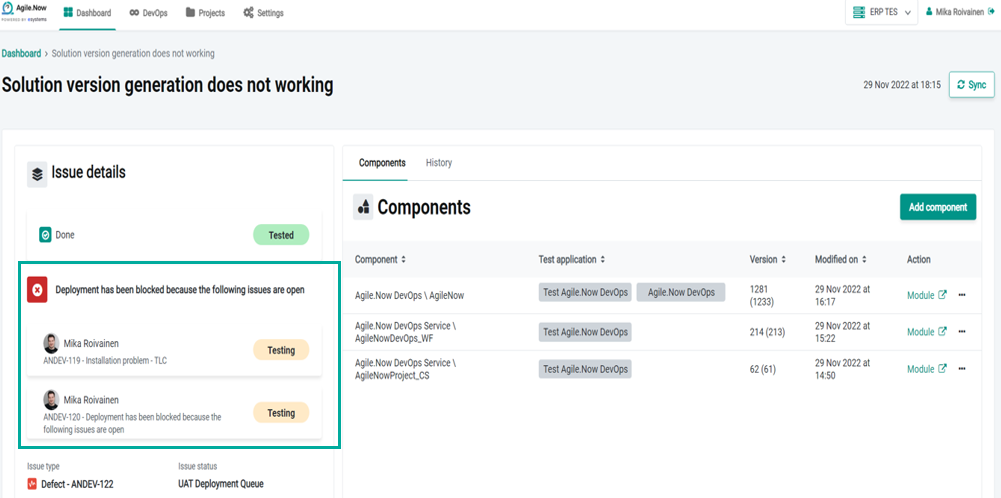
Blocking deployment
In each environment, If in the release, there are one or more Issues associated with the same application module in Outsystems that are under work and not completed, the deployment stage will be blocked until all the issues are completed.
- The list of issues that are blocking the deployment appears on the Issue details view.
Benefit:
- In an organization where there are multiple developers working on the same application module, team members may not have visibility of each other tasks. With this feature, release deployment is automatically blocked as long as there are Issues associated with the same application module in Outsystems under work and we avoid creating releases that are broken and incomplete.
Module version number
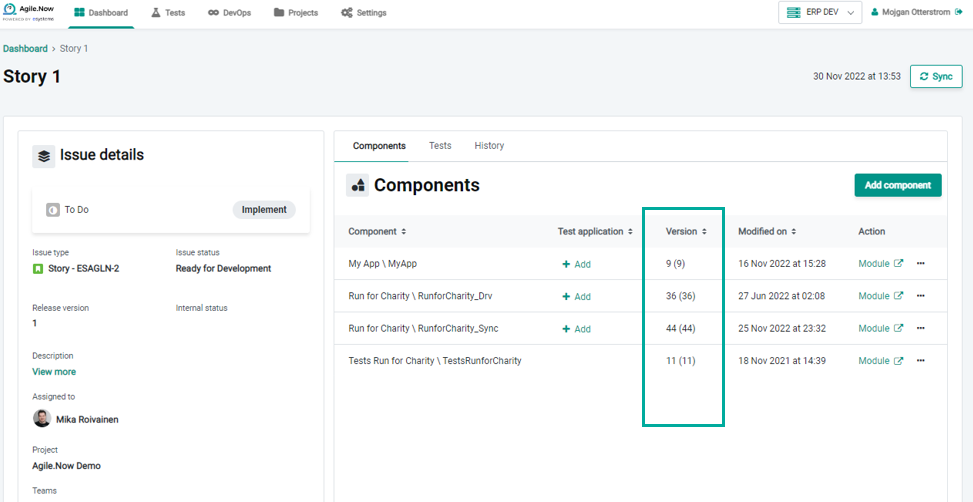
Now, in the Issue detail view, the current version number (baselined) versus the previous version number of each application module published in the Outsystems Service Studio is presented.
Benefit:
- This feature helps the code reviewer know what application module version is modified in comparison to the previous version and thus making the code reviewing process easier and more efficient.
Configurable Component synchronizations
Underneath Settings > Connects apps menu, there is a new toggle button that allows you to disable or enable component synchronization.
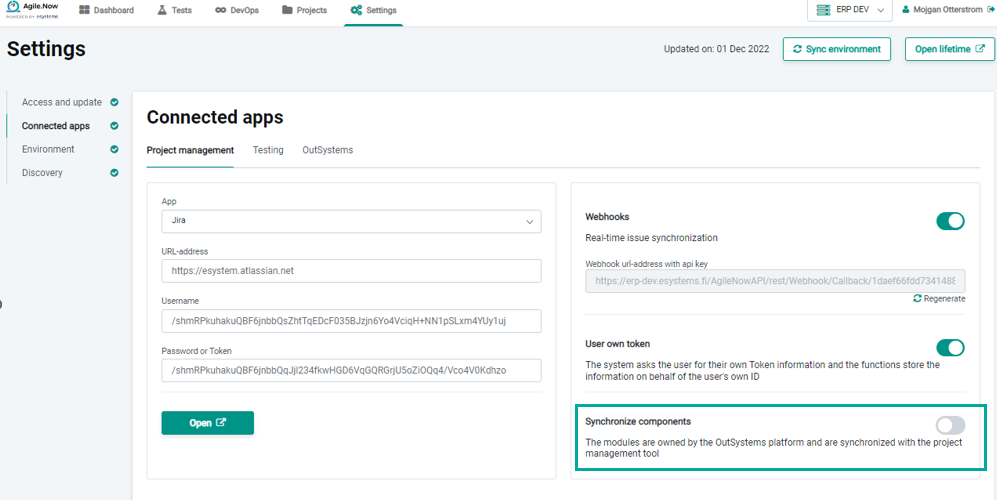
This feature can be configured only at "admin" or "project lead" permission privilege level.
Benefit:
- Jira’s next-gen projects and Azure DevOps do not support the concept of components, so disabling this feature simplifies the setup and configuration of the project management tool.
Multiple virtual environments
In software development and DevOps deployment processes, it is common to require setting up multiple environments in the pipeline. Typically, development environments are divided into development, staging (for QA testing) and production environments. However, for more complex products it is imperative to optimize the pipeline into multi branches of environments. For example, there may be a need for certain conditions or branches of application modules depending on the country. The major reason for multiple environment capability is testing and ensuring the quality of the release.
The new enhancement enables you to configure easily multiple virtual environments for different stages in the software development pipeline depending on your organization's needs.
Benefits:
- Improves optimizing the development workflow according to your organization's needs and pipelines, no matter what your software development and DevOps deployment processes look like.
- Enables the team to work more effectively and efficiently.
- Enables your team to rigorously test the software in multiple stages before deployed and made available to end-users.
Real-time issue synchronization
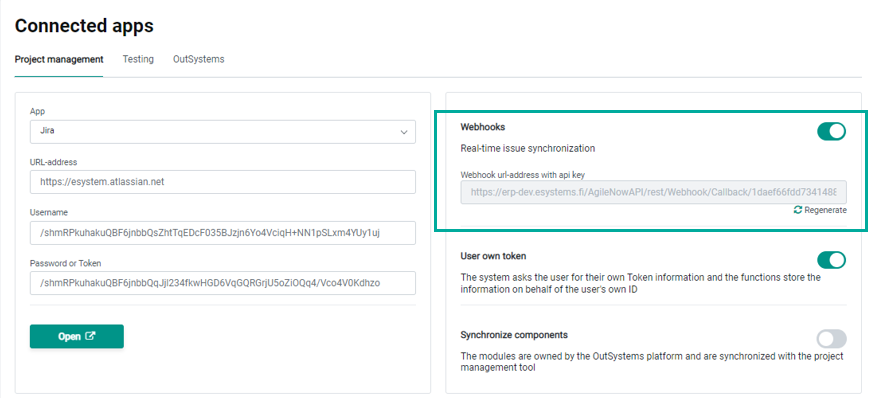
Underneath Settings > Connects apps > Project management menu, you can enable real-time issue synchronization and configure a Webhook endpoint so that when an issue is updated in the project management tool, Agile.Now gets notified and updated correspondingly in real time.
Benefits:
- By enabling the feature, Agile.Now remains up-to-date during the session and there is no need for manual synchronization.
Project synchronization
By default, upon re-login, the previous session’s project metadata appears on the dashboard.
Benefit:
- This feature improves user experience as typically Agile.Now users work on the same project for a period and therefore, they do not need to select the project after each login.
Assign an issue to a user
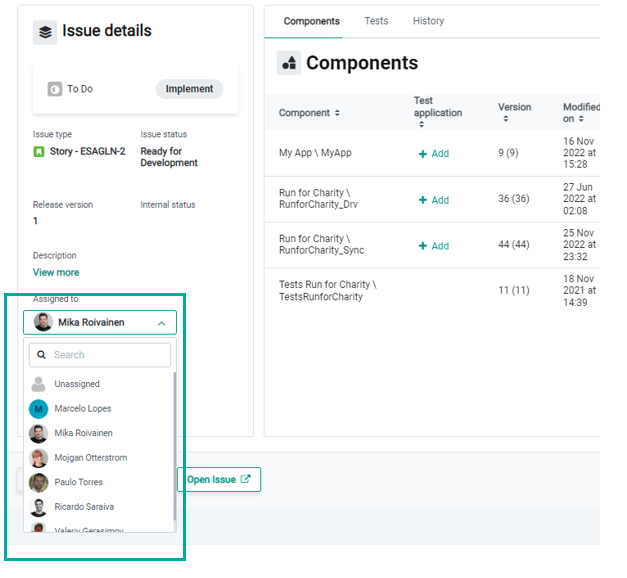
You can now assign an issue to a user directly from Agile.Now dashboard.
Benefit:
- This eliminates the burden of going back and forth to the project management tool for assigning a task to a user, thus improving usability and saving time.
Improving Agile.Now probe registration and authentication
Agile.Now probe registration and authentication are now easier to manage.